How to Fast Play Virt-A-Mate
Scenes are ready-to-play packages — download one and you're good to go.
1
Open VaM Hub
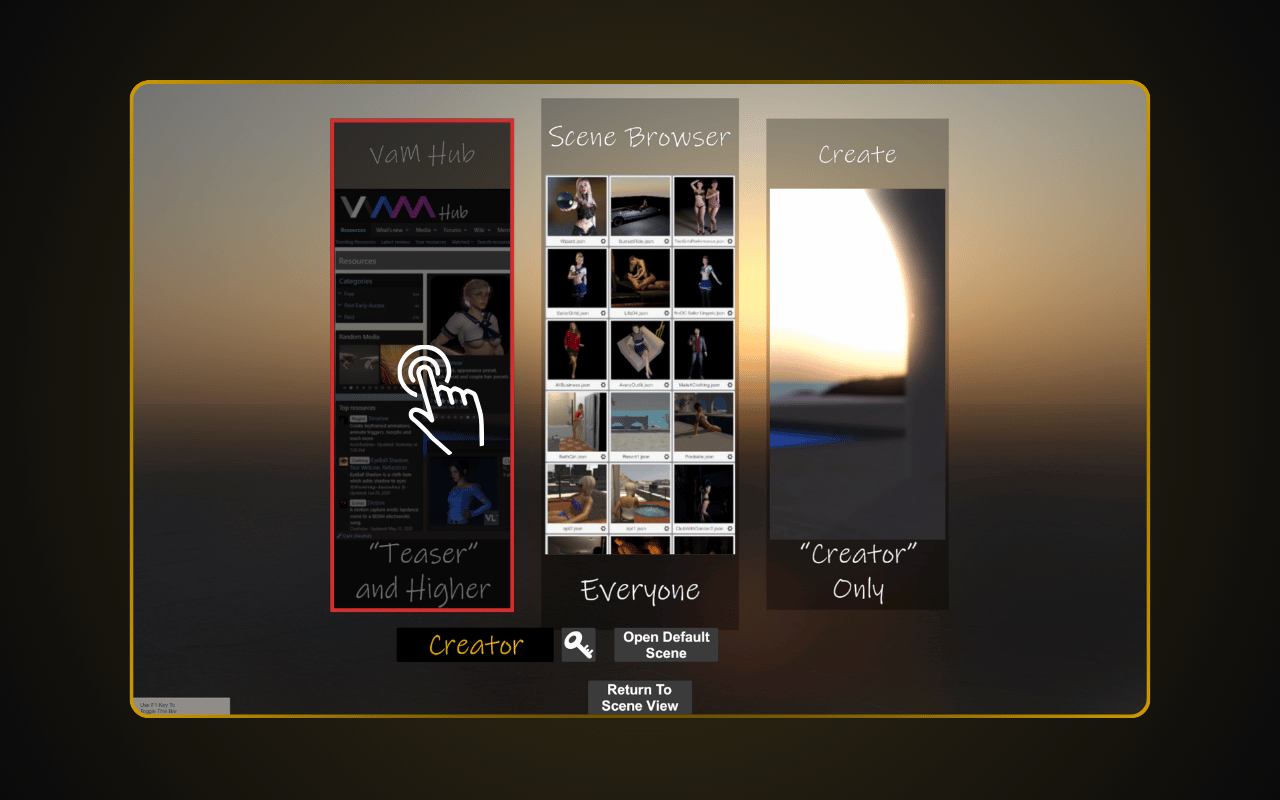
Launch VaM.exe. On the main screen, click "VaM Hub". VaM Hub requires the Teaser plan ($2/mo) or higher. Free/Demo users cannot load custom content.
2
Search for Content
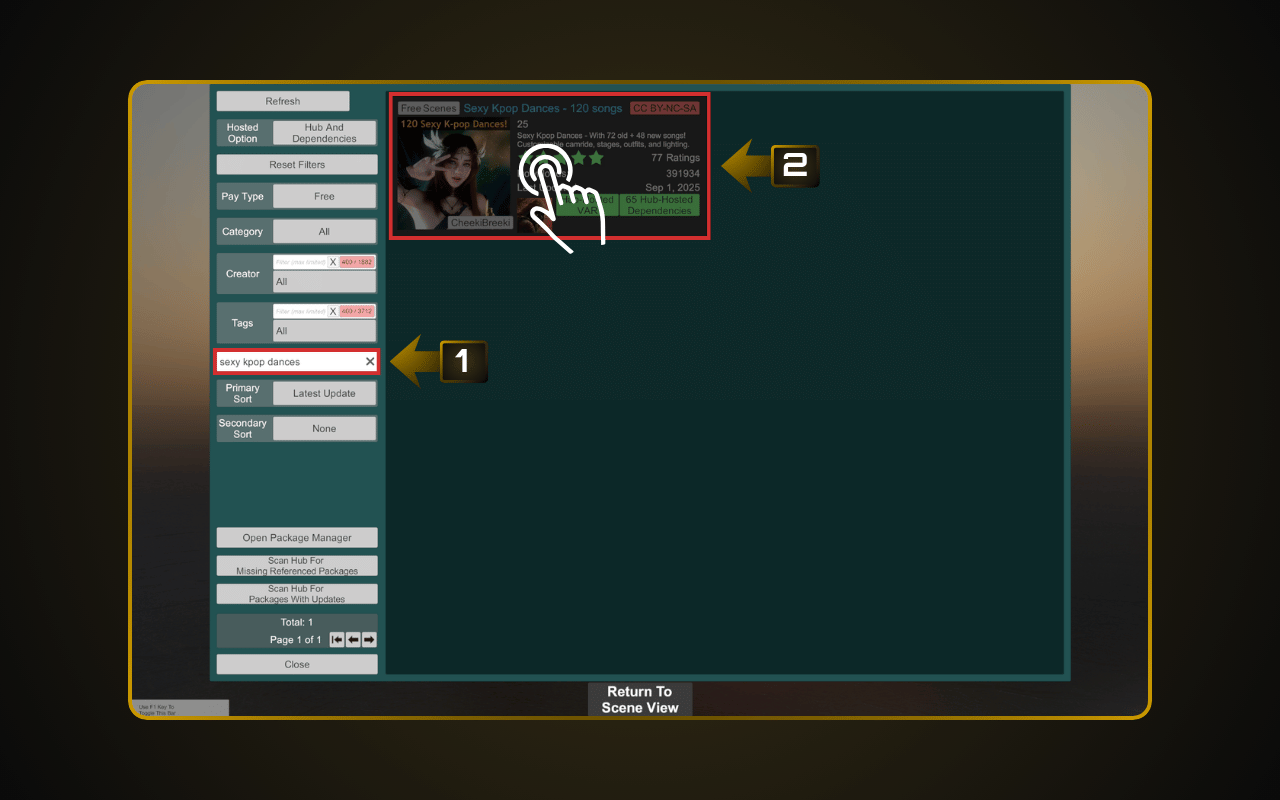
Browse VaM Hub to find content you want to try. We recommend starting with Scenes — they’re ready-to-play packages.
Example: Type sexy kpop dance in the search bar, press Enter, and click on a result to open it.
Example: Type sexy kpop dance in the search bar, press Enter, and click on a result to open it.
3
Download
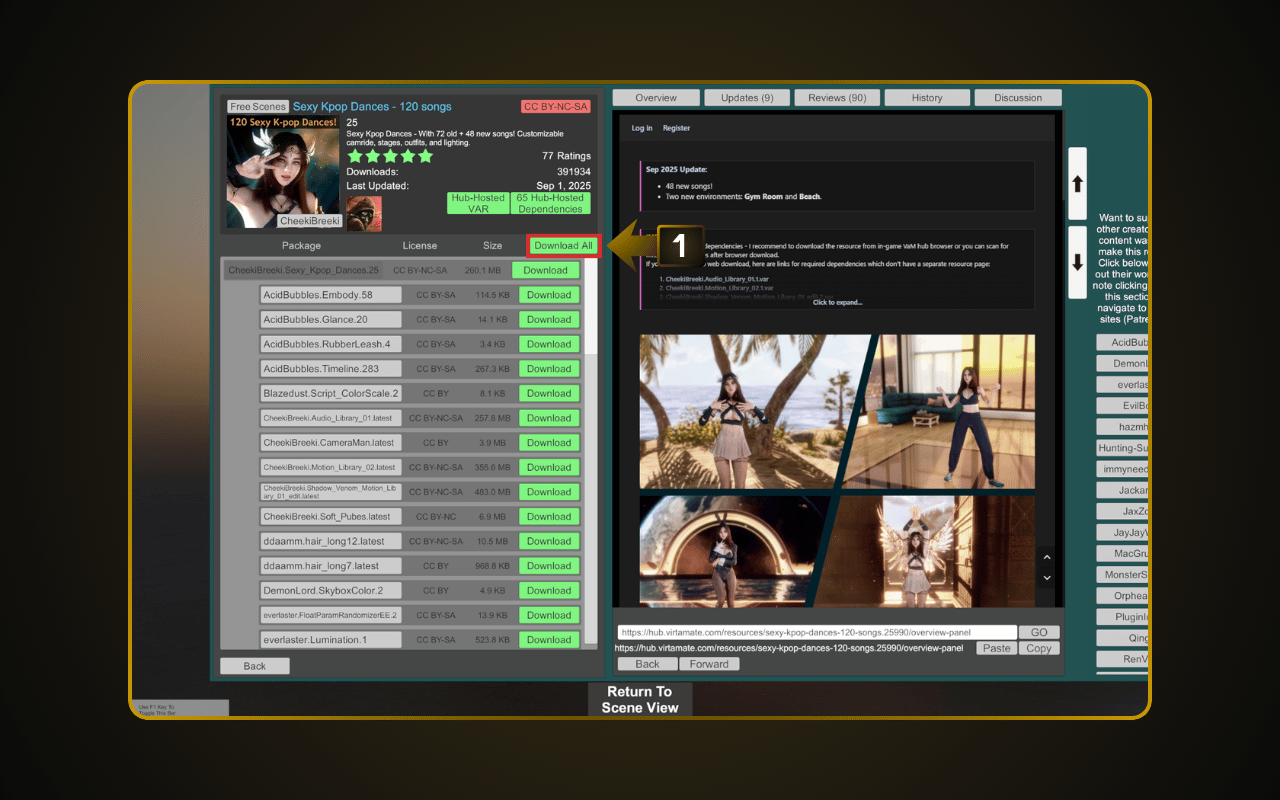
Click “Download All” to download the scene with all its dependencies.
4
Load from Scene Browser
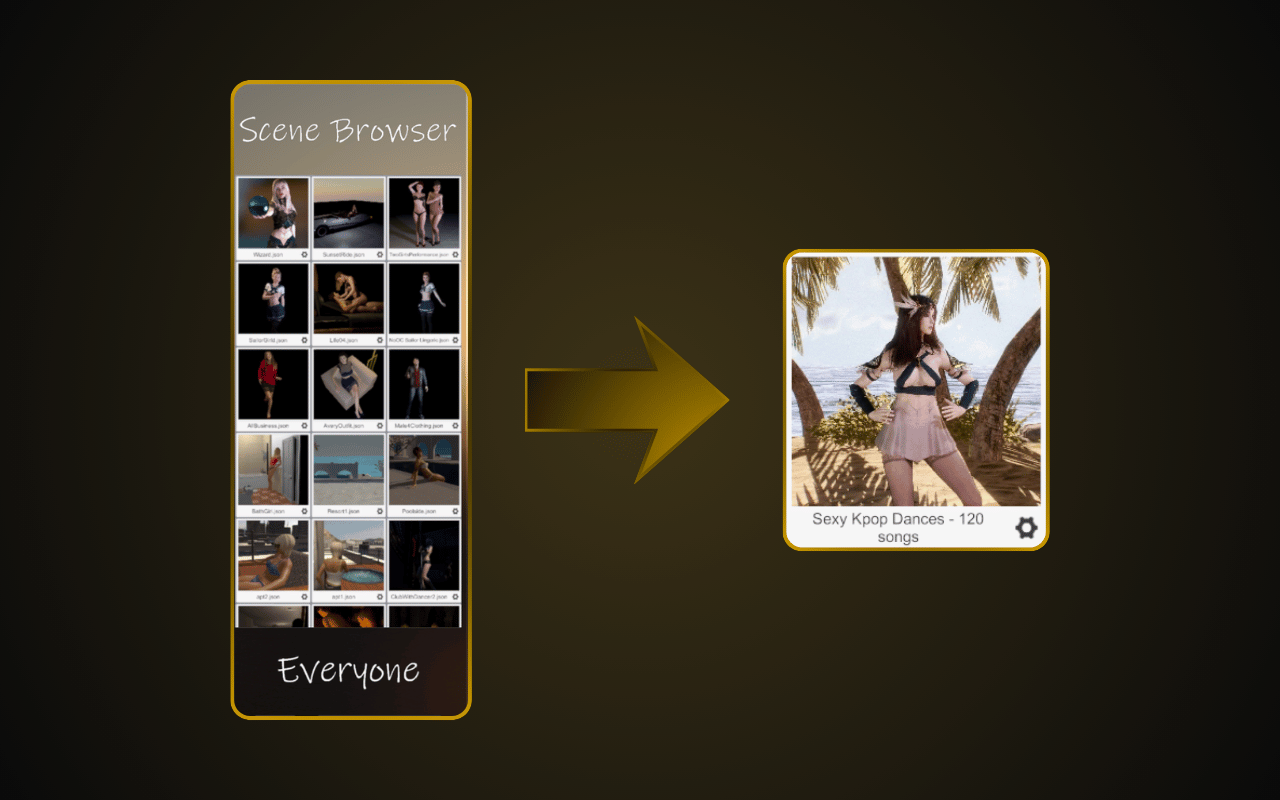
Go back to the main screen and click “Scene Browser”. Select the scene you just downloaded to load it. Got .var files from other sources? See our guide: How to Use .var Files in Virt-A-Mate.