How to Fix Errors via VaM Hub in Virt-A-Mate
Scenes showing errors or broken content? It usually means some required packages are missing. Here’s how to fix it using VaM Hub.
1
Understanding Errors
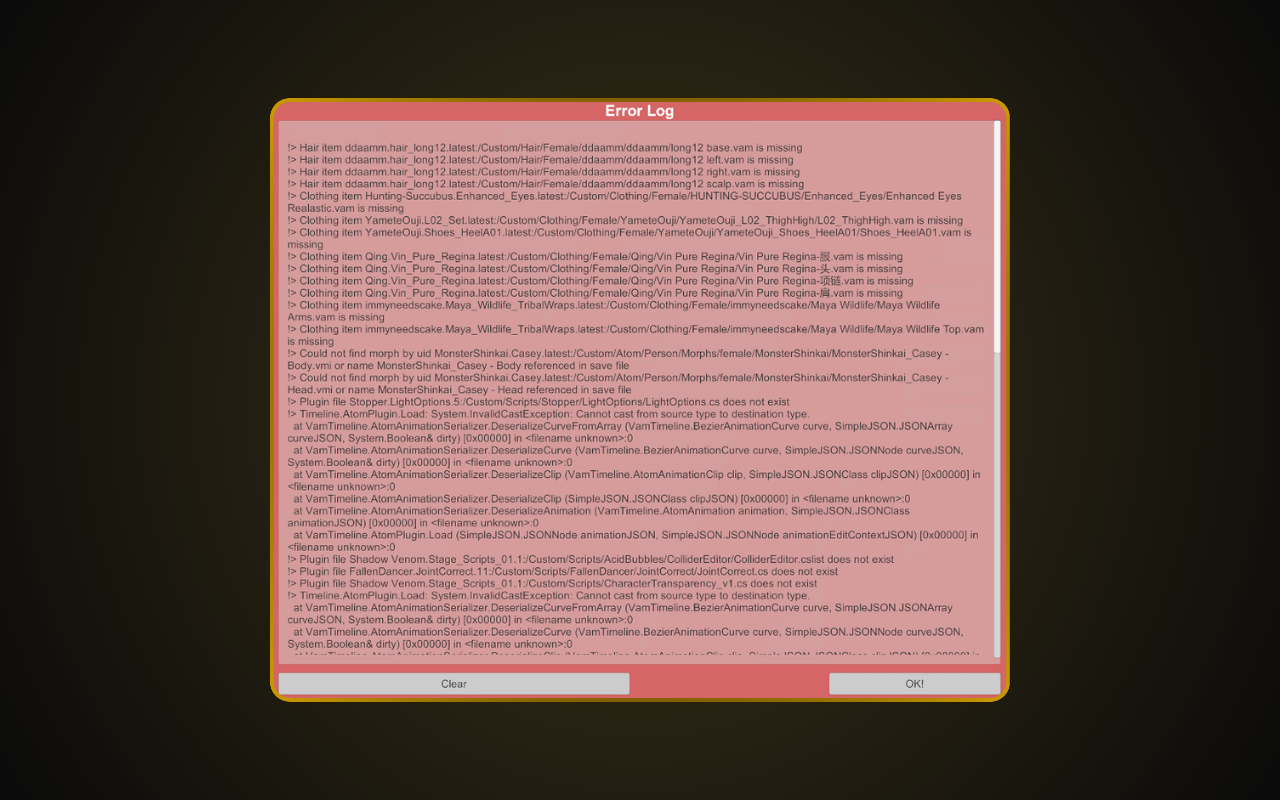
Missing dependencies in the Error Log are normal in Virt-A-Mate — every user encounters them. The Error Log mostly tells you which .var files are needed to make a package complete. You don’t need to find every .var file listed in the Error Log. The best approach is to find what you can — most content still works fine.
2
Open Browse Hub

Launch VaM.exe and click “Browse Hub” on the main screen to open the VaM Hub browser. Browse Hub requires the Teaser plan ($2/mo) or higher. Free/Demo users cannot access VaM Hub.
3
Scan for Missing Packages
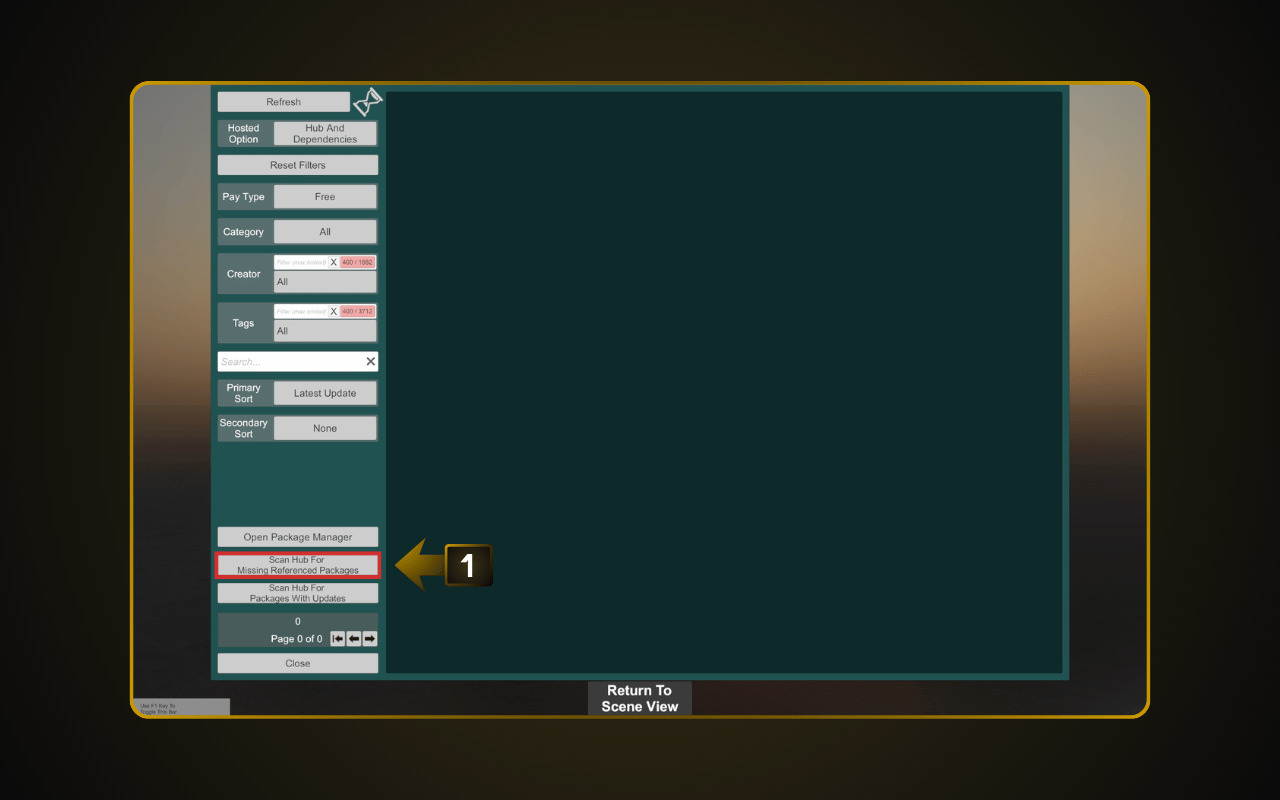
Inside VaM Hub, click “Scan Hub for missing packages”. VaM will check all your installed content and show a list of every missing dependency it can find on the Hub.
4
Download Missing Dependencies
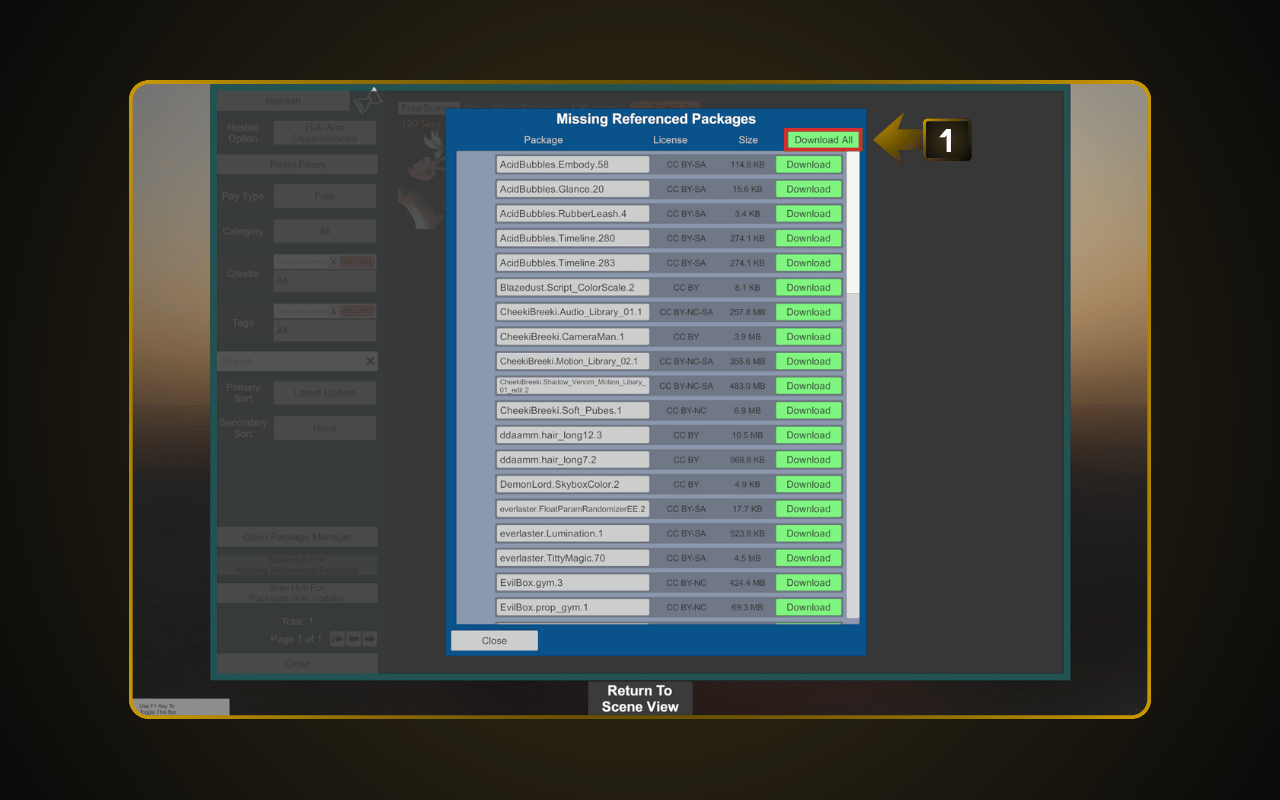
Click “Download All” to install every missing package at once. You can also download them one by one if you prefer. Once finished, go back and reload your scene. Some dependencies may show “Not on Hub” — you’ll need to find those .var files manually from external sources. See our guide: How to Use Dependency Finder for Virt-A-Mate.